Turn Your Performance Into Digital Tips
Built for working musicians in bars, pubs, and cafés. Set up your digital tip jar in minutes and start collecting tips via QR code during your live shows.
No credit card required. Free to start.
How Your Money Works
We are a tool, not a middleman. Your money stays yours.
Fan Tips
Your Stripe / MobilePay
Your Bank Account
We never touch your money
You Own Your Payment Account
You connect your own Stripe account. Funds go directly to your bank. We cannot delay, freeze, or redirect payments.
Trusted Payment Providers
Built on Stripe and MobilePay. All standard payment methods supported.
Full Team Visibility
Playing with a band? Add all members to your team. Everyone sees the complete tip history - all transactions, amounts, and timestamps. Built on trust and transparency.
Live Tip Jar Mode
Built for bars and gigs
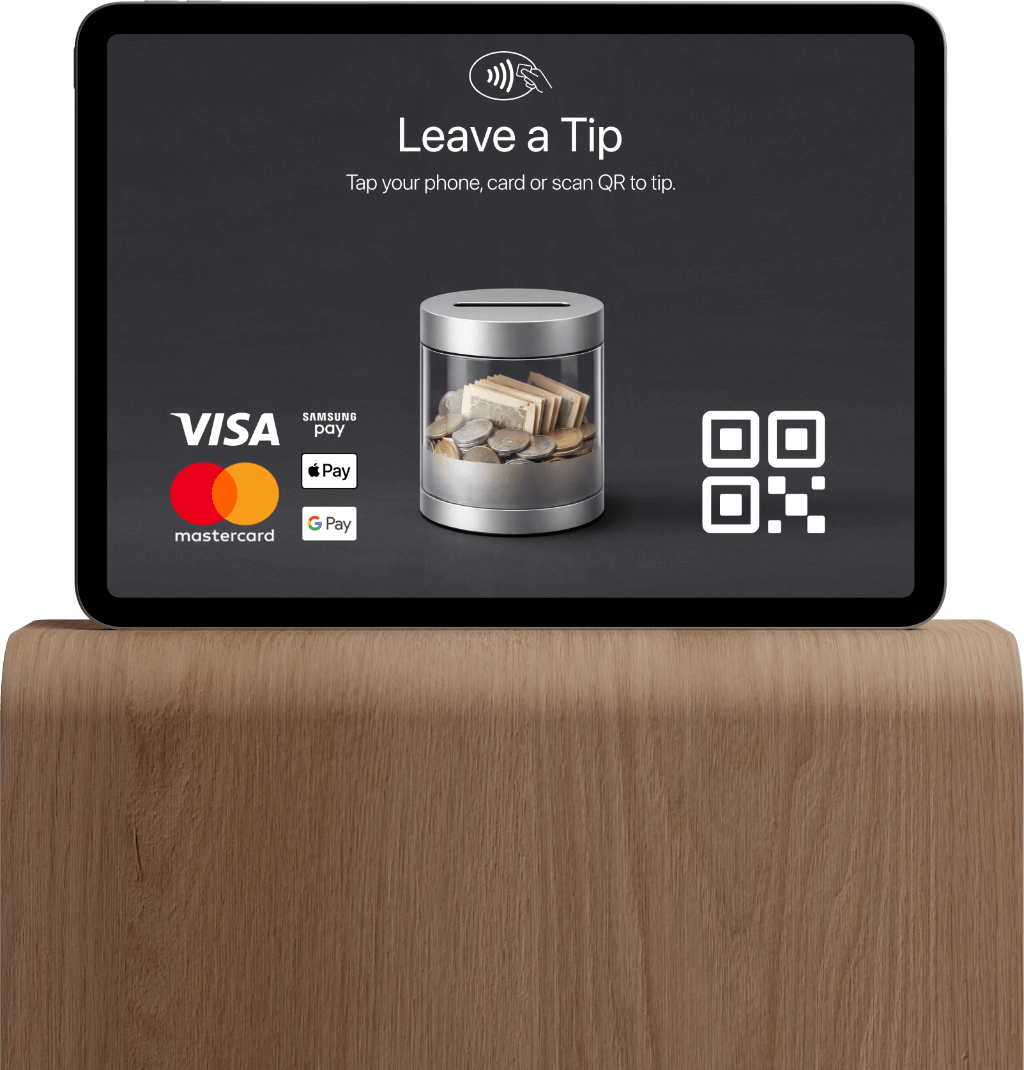
Open the live tip jar on a tablet during your set. When someone tips, the jar fills in real time — a quiet visual cue that appreciation is happening.
Your Band Watches Together
Set up Live Mode on a tablet during your set. The whole band sees tips roll in real-time. It's entertaining for fans AND transparent for your team. Everyone experiences the appreciation together.
Live Tip Jar Demo
Visual demo coming soon
Start Collecting Tips in 3 Easy Steps
Get set up in just a few minutes. No technical knowledge required.
Create Your Account
Sign up for free and create your team. Add your band name, logo, and connect your payment account.
Set Up Your Live Tip Jar
Display your device at the venue. Fans scan the QR code and watch tips fill up in real-time during your performance.
Receive Tips Instantly
Tips go directly to your payment account. View earnings in real-time and celebrate with your audience.
Why Musicians Choose live.tips
Unlike other platforms that take a cut of your hard-earned tips, we believe every cent should go to you.
We Don't Take a Percentage
We don't take a percentage. Ever. 100% of what fans give goes to you (minus standard payment processing fees that go to Stripe/MobilePay, not us).
One Simple Monthly Fee
We charge monthly because servers and support cost money. We don't skim your tips. About the cost of one meal per month.
Fully Transparent
Payment processors (like Stripe, MobilePay, etc.) charge a small processing fee — we have no control over it and receive nothing from it. We cannot delay, freeze, or redirect your payments.
See the Difference
On a €100 tip
Other Platforms
- €5-15 platform commission (5-15%)
- + €2-3 processing fees
You get: ~€82-93
live.tips
- €0 platform commission
- ~€2.90 payment processing fee (not ours)
You get: ~€97
Payment processing fees go directly to your payment provider (Stripe, MobilePay, etc.) — we don't take any cut from it.
Everything You Need to Collect Tips
Designed for bars, pubs, cafés, and small venues. Accept digital tips during live shows.
QR Code Tips
Generate a unique QR code for your venue. Fans scan and tip instantly from their phones - no app download required.
Direct Payments
Tips go directly to your connected payment account. You own the account. Funds go straight to your bank.
Track Earnings
See real-time analytics of your tips. Know which shows perform best and track your earnings over time.
Live Mode Display
Show incoming tips on a screen at your venue. Real-time tip jar visualization that respects the vibe of bars and pubs.
Team Transparency & Splitting
Built for bands. All members see complete tip history. Tips go to owner's account - everyone sees everything. Watch Live Mode together during sets. Manual splitting now, automatic splitting coming when we become a payment provider.
Secure & Trusted
Built on trusted payment providers like Stripe and MobilePay for secure payments. Your fans' payment info is never stored on our servers.
How to Mention Tips On Stage
Without killing the vibe
Musicians worry about being awkward. Here's how to do it naturally:
The Casual Mention
"If you're enjoying the music, there's a QR code at the bar."
The Direct Approach
"Tips are appreciated — scan the code on the tablet if you'd like to support us."
The Grateful Close
"Thanks for coming out tonight. QR code's up front if you want to drop a tip."
Timing Tips
- One mention per set is plenty
- Between songs, not mid-song
- Let the music do most of the talking
What to Avoid
- Don't apologize for asking
- Skip guilt or pressure language
- No hard sells or repetition
Ready-to-Use Printable Tools
Download and print for your next gig
QR Code Cards
Table cards for venues. Print and place on bar or tables.
Coming SoonMic Stand Cards
Attach to your mic stand. Visible but subtle.
Coming SoonGuitar Case Inserts
For buskers and acoustic sets. Fits standard cases.
Coming SoonSimple, Transparent Pricing
Start free and upgrade as you grow. No hidden fees.
Starter
Perfect for solo artists getting started
- Unlimited tips
- Zero commission on tips
- Single user
- Basic QR code
- Email support
Professional
Unlock killer features for serious performers
- Everything in Starter
- Live Performance Mode
- Custom tip presets
- Real-time tip animations
- Priority support
Team
For bands with full transparency
- Everything in Professional
- Unlimited team members
- Full team visibility of all tips
- Everyone sees complete tip history
- Live Mode - watch tips together
- Advanced analytics
- Multiple QR codes
We charge monthly for servers, not commission on your tips.
Frequently Asked Questions
How do I start collecting tips?
Create your free live.tips account in minutes. Set up your team profile, connect your payment provider (MobilePay or Stripe), and get your unique QR code instantly. No technical knowledge required.
How do customers tip?
Fans scan your QR code during performances, choose a tip amount (or enter a custom amount), and pay via MobilePay or Stripe. It's quick, contactless, and secure. No app download required.
When do I receive the money?
Tips go directly to your connected payment account instantly. You own the payment account — not us. Funds go straight to your bank. We cannot delay, freeze, or redirect payments. 100% of tips go to you (minus standard payment processor fees that go to Stripe/MobilePay, not us).
What are the fees?
live.tips charges a flat monthly subscription fee for Professional features (free Starter plan available). Payment processors (MobilePay/Stripe) charge standard processing fees (~2.9% + fixed fee). We take zero commission on tips. Beta pricing subject to change.
Can I use live.tips with my band or team?
Yes! live.tips is built on trust and transparency for bands. Here's how it works: Tips go to the team owner's connected payment account (Stripe or MobilePay). You can invite all band members to the platform. Every team member sees the complete tip history - all transactions, amounts, and timestamps. Full transparency is built in. You can even set up Live Mode on a tablet during sets - the whole band watches tips roll in together. It's entertaining for fans AND transparent for your team. Currently, you split tips manually based on what everyone can see. In the future, when we obtain our payment service provider license, we'll add automatic tip splitting. The platform works on trust - we provide the visibility tools, your band decides how to split.
Do I need a business account?
For the MVP, you can use a personal MobilePay payment link or a Stripe account. Business accounts are not required to start, making it accessible for solo artists and small bands.
What payment providers are supported?
Currently, live.tips supports MobilePay Box (payment links) and Stripe. We're planning to add MobilePay Business API integration in the future for enhanced features.
Can I display tips on a screen during performances?
Yes! Professional and Team plans include Live Tip Jar Mode. Open it on a tablet during your set. When someone tips, the jar fills in real time — a quiet visual cue that appreciation is happening. Designed to be subtle and not interrupt the music or annoy venues.
Is my data secure?
Absolutely. live.tips is built on trusted payment providers like Stripe and MobilePay with secure payment infrastructure. We never store your fans' payment information. All transactions are encrypted and comply with industry security standards.
Can I customize the tip amounts?
Yes! Professional and Team plans allow you to set custom tip presets (e.g., €5, €10, €20) while still allowing fans to enter any custom amount they wish.
What countries does live.tips support?
live.tips currently works across the EU via MobilePay and globally via Stripe. We support multiple currencies and are actively expanding to additional regions based on user demand.
Do fans need an app to tip?
No. Fans simply scan your QR code with their phone camera and pay via their existing MobilePay or card. No app download or account creation required for tippers.
How long does setup take?
Account creation takes under 5 minutes. Connect your payment provider (MobilePay or Stripe), generate your QR code, and you're ready to accept tips immediately. No technical knowledge required.
Can I track which performances earned the most tips?
Yes. Professional and Team plans include analytics showing tip amounts, timestamps, and performance comparisons to help you understand audience engagement and optimize future shows.
Do you ever touch my money?
No. Tips go directly from fans to your connected Stripe or MobilePay account. We never hold, process, or touch your money. We cannot delay, freeze, or redirect payments. You own your payment account completely.
What can team members see in my team?
Every team member invited to your team sees the complete tip collection history - all tips received, exact amounts, timestamps, payment methods used, and performance analytics. This full transparency is intentional. The platform is built on trust: the team owner connects their payment account and receives all funds, while team members get complete visibility into every transaction. There are no hidden tips or private transactions. Team members can also access Live Tip Jar Mode to watch tips come in together during performances. This transparency model helps bands operate with trust and clear communication about earnings.
How does tip splitting work for bands?
Currently, tip splitting is manual. All tips go to the team owner's connected payment account. Every band member sees the complete tip history and exact amounts received. The band decides internally how to split earnings - the platform provides full transparency so everyone sees the same numbers. You can watch Live Mode together during performances to see tips come in real-time. In the future, we plan to add automatic tip splitting when we obtain our payment service provider license. This will allow you to set split percentages and have funds automatically distributed to team members. For now, the platform operates on trust: one account receives funds, everyone sees everything, and you handle splits based on your band's agreement.
Need more help? Check out our comprehensive documentation for detailed guides and tutorials.